
ROSMAZE Maze Robot
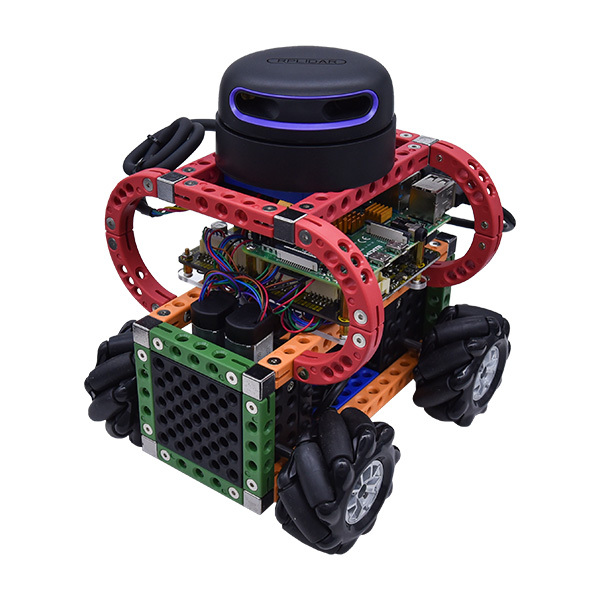
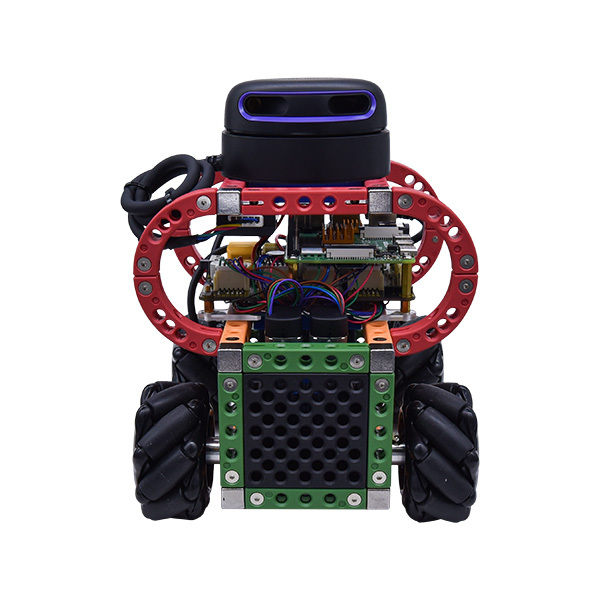
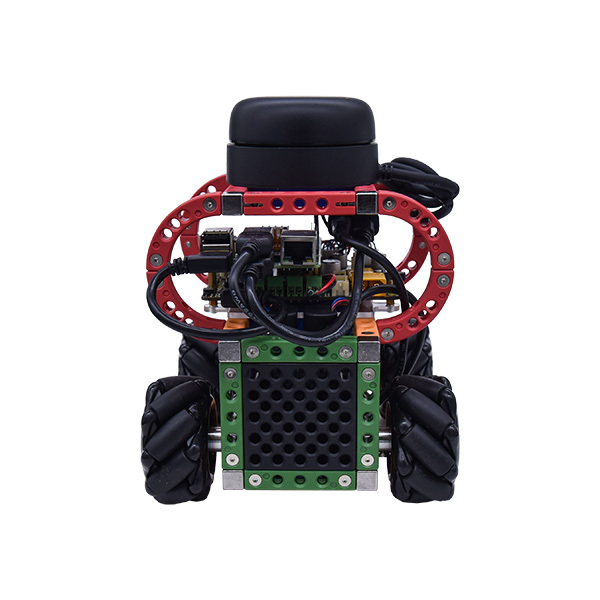
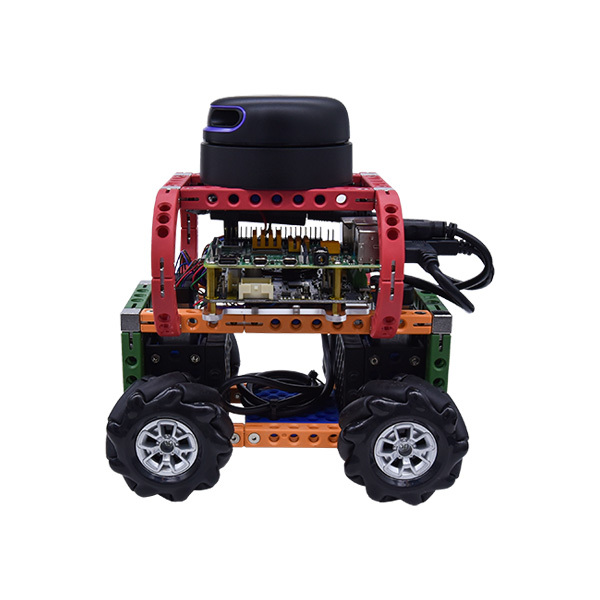
An autonomous mobile robot built on Raspberry Pi 4 and ROS 2 Humble. It maps the maze with LiDAR, then navigates freely with no guide lines or tracks. The operating system and control software come pre-installed, so it is ready to use out of the box.
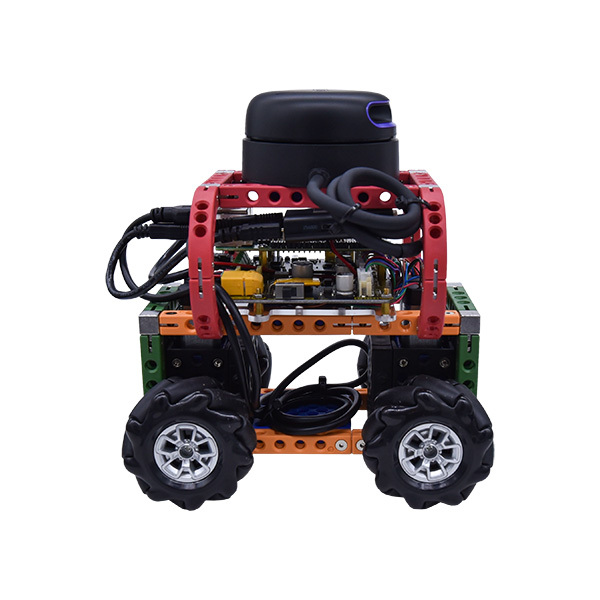
What this kit teaches
ROS 2 communication architecture
Nodes, topics, services, and launch files, and why modern robot software is organized this way.
SLAM mapping and localization
Scan the maze with the Rplidar A2M12, build a map, and learn how a robot knows where it is.
Navigation and parameter tuning
Drive from start to finish on its own while avoiding walls, and see firsthand how parameters change behavior.
Course outline
01 Introduction to the Competition and Robot (2 periods)
Learning objectives
- Explain the maze challenge’s task, rules, and scoring
- Identify the ROSMAZE hardware components
- Unbox, charge, and power on for the first time
Modules / matching videos: ep.1 Introduction to the Competition and Robot, ep.2 Why Use ROS?
02 ROS 2 Fundamentals (4 periods)
Learning objectives
- Describe the ROS 2 distributed architecture and how nodes communicate
- Use ros2 node and ros2 topic to inspect a running system
- Create a workspace and complete a first build
Modules / matching videos: ep.3 What Is ROS?, ep.4 ROS Basic Concepts
03 Connecting and Remote Control (3 periods)
Learning objectives
- Connect a laptop to ROSMAZE over the network and log in remotely
- Drive the robot and observe how mecanum wheels move
- Troubleshoot common connection problems
Modules / matching videos: ep.5 Connecting to ROSMAZE, ep.6 Controlling ROSMAZE
04 Debugging and Observation Tools (2 periods)
Learning objectives
- Use visualization tools to inspect node relationships and sensor data
- Display LiDAR scan results in RViz2
Modules / matching videos: ep.7 Inspection and Visualization Tools
05 Launch Files and Robot Description (3 periods)
Learning objectives
- Start a whole set of nodes at once with a launch file
- Read a URDF to see how it describes a robot’s links and joints
Modules / matching videos: ep.8 Launch and URDF, ep.9 ROSMAZE Launch
06 SLAM Mapping (4 periods)
Learning objectives
- Explain the basic principle of SLAM (simultaneous localization and mapping)
- Scan a real maze and save the map file
- Judge map quality and know when to redo it
Modules / matching videos: ep.10 Mapping Methods, ep.11 Implementing SLAM Mapping
07 Navigation and Parameter Tuning (4 periods)
Learning objectives
- Load a map and have the robot navigate to a target on its own
- Adjust parameters such as speed and inflation radius and observe how behavior changes
- Record completion time and collision count for different parameter settings
Modules / matching videos: ep.12 Running Navigation, ep.13 Adjusting Navigation Parameters
08 Maze Practice and Competition Drills (2 periods)
Learning objectives
- Complete an autonomous run from start to finish on a full maze
- Analyze failed runs and propose improvements
- Self-assess against the competition rules and practice presenting results
Modules / matching videos: No matching video; teacher’s choice
Hardware specifications
| Component | Specification |
|---|---|
| Single-board computer | Raspberry Pi 4 Model B, 4 GB |
| Operating system | Ubuntu MATE 22.04 |
| ROS version | ROS 2 Humble |
| Motor controller | OminiBot HV (drives four encoder motors and supplies 5 V power to the Raspberry Pi 4) |
| LiDAR | SLAMTEC Rplidar A2M12 |
| Motors | Single-shaft encoder motors |
| Frame | CAGEBOT engineering building blocks |
| Wheels | Mecanum wheels (60 mm / 2.4 in) |
| Storage | 32 GB microSD card |
| Battery | 11.1 V, 2200 mAh, 3S LiPo (XT60 connector) |
| Dimensions | Approx. 14.5 × 18.5 × 18.5 cm (5.7 × 7.3 × 7.3 in), including cables |
What’s in the kit
| Item | Description | Qty |
|---|---|---|
| ROSMAZE Maze Robot | Operating system and control software pre-installed | 1 |
| Cat6 Ethernet cable | For wired connection and initial setup | 1 |
| iMAX B6 balance charger | Power adapter included | 1 |
| 11.1 V 2200 mAh 3S LiPo battery | XT60 connector | 2 |
| Storage box | Made in Taiwan | 1 |
What schools need to provide
Computer
One laptop per group that can run Ubuntu 22.04 (native install, dual boot, or virtual machine), used for the remote connection and to run RViz2.
Network
A dedicated Wi-Fi router for the classroom. School networks often block connections between devices.
Space and safety
Lithium batteries need a designated charging area and adult supervision.
Maze size and wall specifications are available on request.
Frequently asked questions
Can I teach this course if I have never used ROS?
Yes. The 13 tutorial videos start from “What Is ROS?” We recommend working through Units 1–3 yourself before you teach, and teacher training is available on request.
What should students know beforehand?
We recommend basic Python syntax and some Linux command-line experience.
Do the videos match the software that ships with the kit?
Yes. The kit ships with Ubuntu MATE 22.04 and ROS 2 Humble, and the tutorial videos were recorded with ROS 2.
Can students use this kit in competition?
Yes. ROSMAZE was designed for the Maze Robot Challenge. Please contact us to confirm registration requirements and each year’s rules.
Tutorial videos
13 videos, 145 minutes total
Free to watch—preview the entire course before you buy.
Competition
TIRT Maze Robot Challenge
ROSMAZE was built for the Maze Robot Challenge at the TIRT International Robot Competition. The operating system and control software arrive ready to run, so students can start practicing the competition tasks right away. This summary is based on the product description (2023, 6th competition); please contact us to confirm the latest rules for the current year.
- TaskThe robot drives itself from the maze start to the finish.
- RulesNo hitting the walls.
- SensingOptical LiDAR only; no other sensing methods allowed.
Contact us
Your message goes straight to our team, and we usually reply within one business day.
- 01Questions? Send us a message or add us on LINE.
- 02Quotes and orders, including international shipping
- 03Teacher training and professional development

Scan with your phone to add us on LINE.
Add us on LINE