
micro:bit Air House
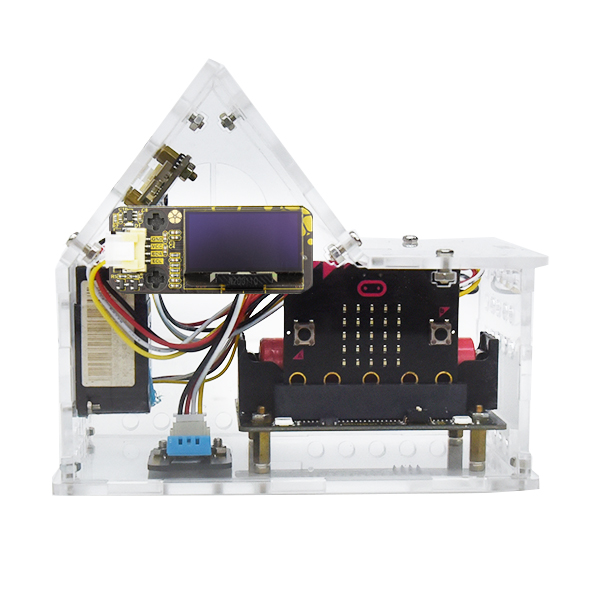
The micro:bit Air House (MbitBot Lite) is a teaching kit that simulates an air quality monitoring station. Students assemble it themselves and write programs in MakeCode so that the PM2.5 and temperature and humidity sensors in the house can detect air quality.
What this kit teaches
Getting to know the micro:bit Air House
Get to know the Air House parts: micro:bit, MbitBot, OLED, ESP-12F, DHT11, PMS3003, vibration sensor, and lithium battery. Connect the modules to the expansion board by following the instructions, combine the micro:bit with the MbitBot, and add the MbitBot extension blocks in MakeCode.
OLED display setup, part 1, to ThingSpeak tutorial
Use MakeCode blocks to set which sensor values the OLED screen shows when the Air House starts. Set the display of the PM1.0 and PM2.5 values read by the sensor, set the display of the PM10, temperature, and humidity values read by the sensor, and register for and use ThingSpeak.
Setting up ThingSpeak in MakeCode
Set up the Air House to upload its sensor values to ThingSpeak, set the OLED light color and the micro:bit expression that correspond to the PM2.5 reading, and operate the air box in practice.
Course outline
01 Getting to know the micro:bit Air House
Unit content
- Get to know the Air House parts: micro:bit, MbitBot, OLED, ESP-12F, DHT11, PMS3003, vibration sensor, and lithium battery
Matching materials: CIRCUS Pi course outline “micro:bit Air House (MbitBot),” Unit 1
02 Assembling the Air House
Unit content
- Connect the modules to the expansion board by following the instructions
Matching materials: CIRCUS Pi course outline “micro:bit Air House (MbitBot),” Unit 2
03 Getting started with MbitBot
Unit content
- Combine the micro:bit with the MbitBot and add the MbitBot extension blocks in MakeCode
Matching materials: CIRCUS Pi course outline “micro:bit Air House (MbitBot),” Unit 3
04 OLED display setup, part 1
Unit content
- Use MakeCode blocks to set which sensor values the OLED screen shows when the Air House starts.
- Set the display of the PM1.0 and PM2.5 values read by the sensor
Matching materials: CIRCUS Pi course outline “micro:bit Air House (MbitBot),” Unit 4
05 OLED display setup, part 2
Unit content
- Set the display of the PM10, temperature, and humidity values read by the sensor
Matching materials: CIRCUS Pi course outline “micro:bit Air House (MbitBot),” Unit 5
06 ThingSpeak tutorial
Unit content
- Registering for and using ThingSpeak
Matching materials: CIRCUS Pi course outline “micro:bit Air House (MbitBot),” Unit 6
07 Setting up ThingSpeak in MakeCode
Unit content
- Set up the Air House to upload its sensor values to ThingSpeak
Matching materials: CIRCUS Pi course outline “micro:bit Air House (MbitBot),” Unit 7
08 Setting sensor value light colors and expressions
Unit content
- Set the OLED light color and the micro:bit expression that correspond to the PM2.5 reading
Matching materials: CIRCUS Pi course outline “micro:bit Air House (MbitBot),” Unit 8
09 Using the micro:bit Air House in practice
Unit content
- Operate the air box in practice
Matching materials: CIRCUS Pi course outline “micro:bit Air House (MbitBot),” Unit 12
The course outline follows the official CIRCUS Pi course outline. Please contact us for the number of class periods, which depends on each school’s schedule. The outline follows the MbitBot version of the Air House and skips the units on sensor and Wi-Fi module setup that apply only to the older version. The Lite version uses the Logyun Wi-Fi module and a G3 PM2.5 sensor, so adjust the details to match your kit.
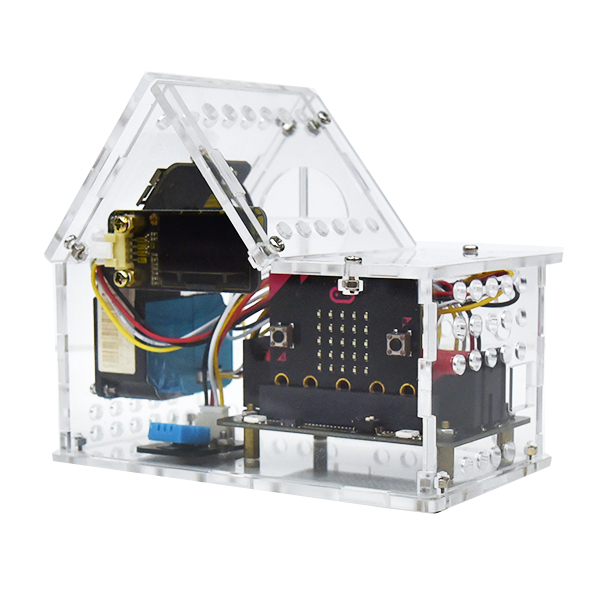
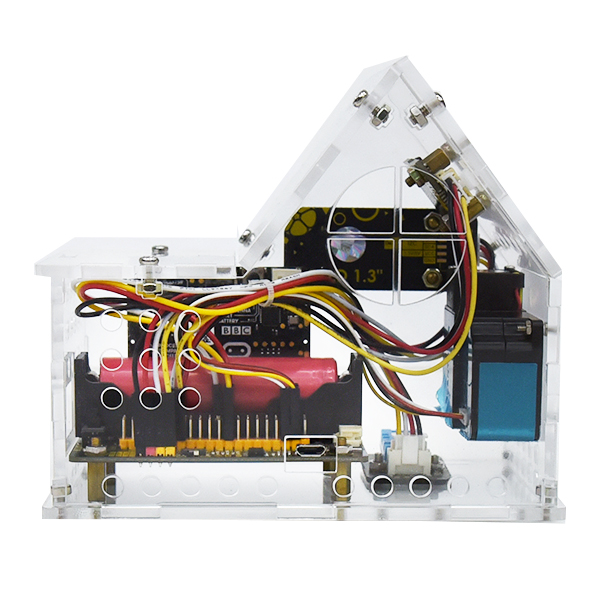
Lite version
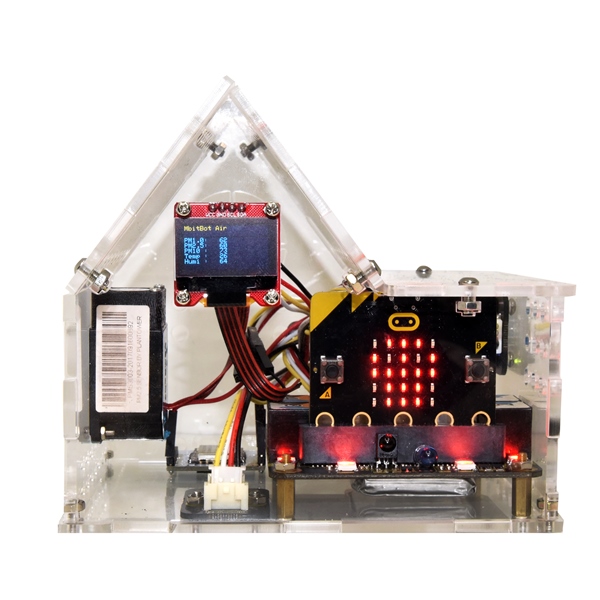
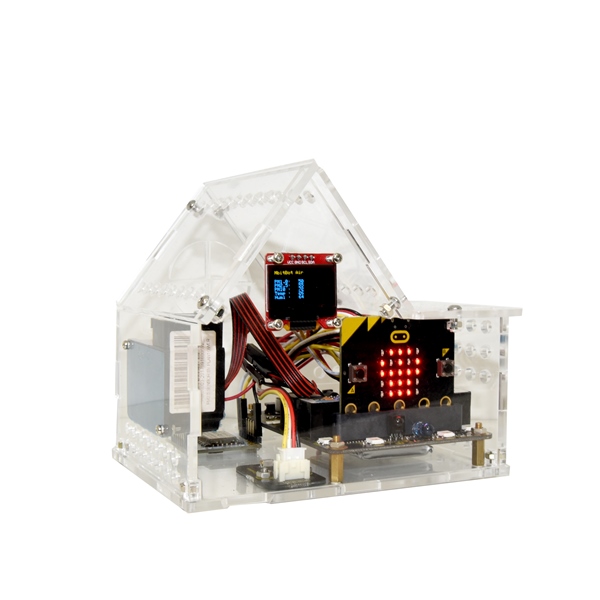
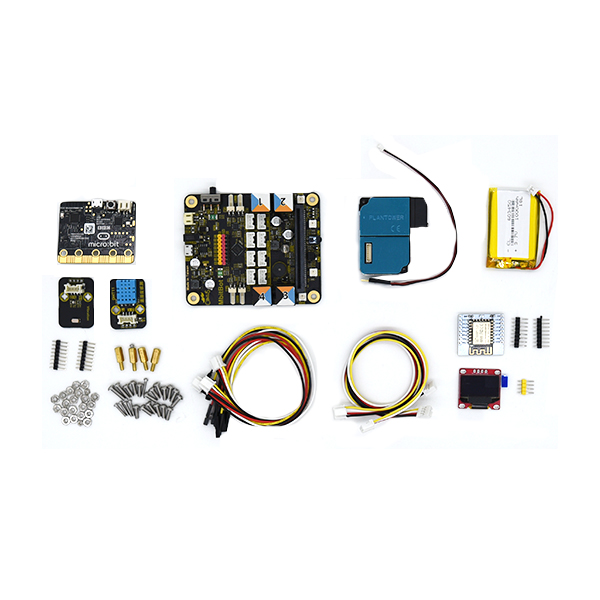
MbitBot version
Hardware specifications
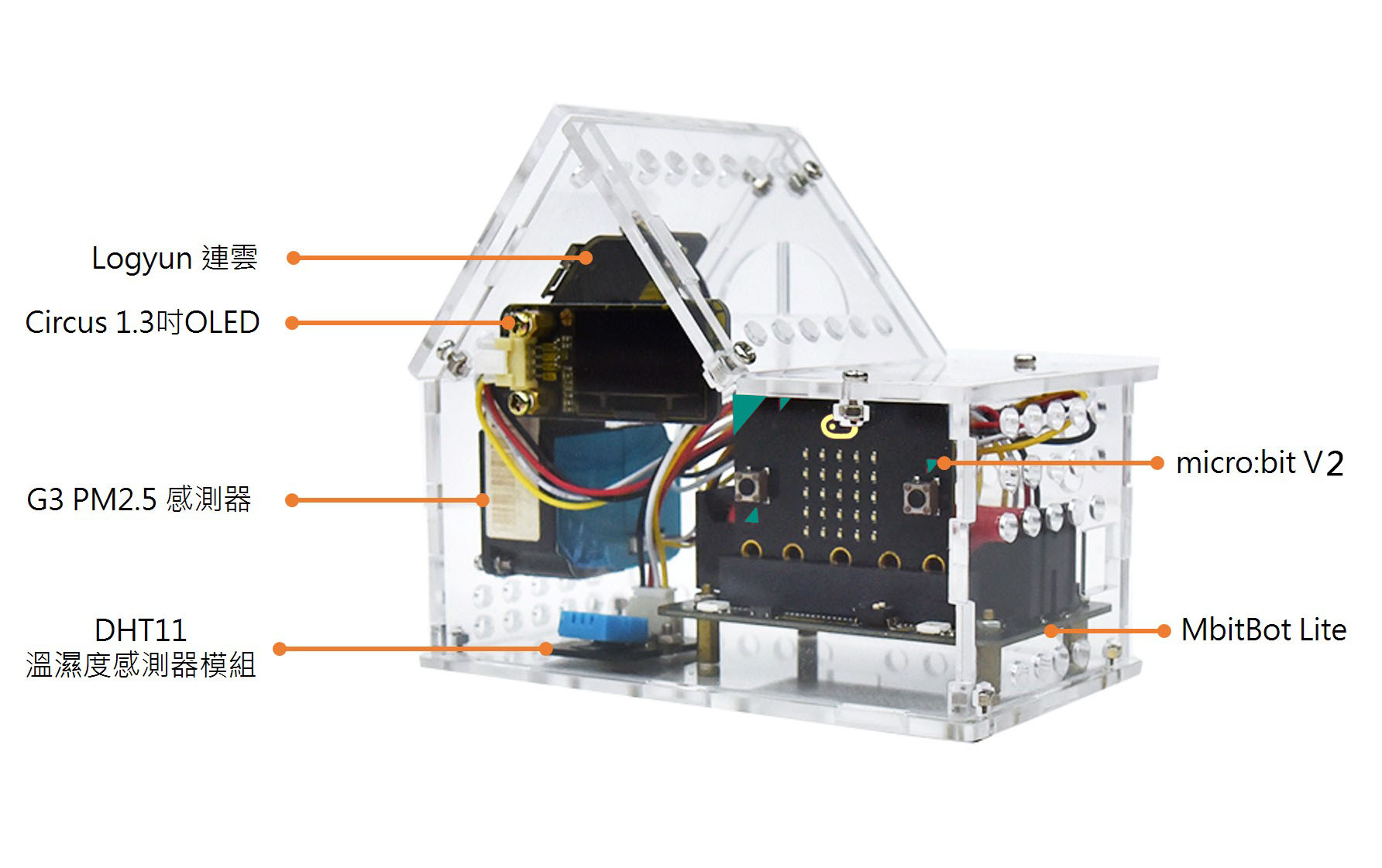
| Development board | micro:bit V2 |
| Expansion board | MbitBot Lite |
| Components and modules | • G3 PM2.5 sensor • Circus DHT11 temperature and humidity sensor module • Logyun Wi-Fi module • Circus 1.3-inch OLED display • Female Dupont wires + female header to Circus 4-pin • 18650 lithium battery • Micro USB cable • 5 V 2 A USB charger |
| Dimensions (mm) | 136 x 87 x 120 (W x D x H) |
Product features
The micro:bit Air House (MbitBot Lite) is a teaching kit that simulates an air quality monitoring station. Students assemble it themselves and write programs in MakeCode so that the PM2.5 and temperature and humidity sensors in the house can detect air quality. A Wi-Fi module then connects it to a wireless network, so users can check the air quality where the Air House is located from a computer or phone from anywhere. They can also upload the data to the cloud or retrieve it, which makes it well suited to students building IoT projects on environmental topics.
1. Expandable MbitBot Lite
MbitBot Lite has an 18650 battery holder and a function switch. For the special I2C function pins, it adds three extra connection points, leaving all pins available to the user for greater flexibility.

2. Circus 1.3-inch OLED display
The Circus 1.3-inch OLED display is monochrome (white) with fine image detail, and it can show the information the Air House detects.

3. Logyun Wi-Fi module for uploading and retrieving data
Logyun, the Wi-Fi module made in-house by iCShop, lets the Air House go online so you can check the air quality where it is located from a computer or phone, wherever you are. It also makes it easy to upload and retrieve data, including uploading to ThingSpeak or Google Sheets, and it supports MQTT.

4. Simple wiring
For the air quality sensor, the temperature and humidity sensor, the display, and the Logyun Wi-Fi module alike, the module end has a special keyed connector, and the MbitBot Lite end uses a female Dupont connector that plugs onto pin headers, which keeps wiring simple.

5. Protected sensors
The micro:bit Air House (MbitBot Lite) keeps every module inside the house so that outside contact cannot affect the sensor readings, and the house has openings around it for air circulation.

Video introduction
Lesson plan sharing
Ministry of Education K-12 Digital Learning Enhancement Program—Minzu Elementary School, East District, Chiayi City (Teacher Hong Qingsheng)—Maker Surge at the Century-Old East Market
Tutorial article
A complete walkthrough from assembly to programming:IoT Tutorial—The New micro:bit Air House (MbitBot Lite): Recording Air Quality Is Easier
Contact us
Your message goes straight to our team, and we usually reply within one business day.
- 01Questions? Send us a message or add us on LINE.
- 02Quotes and orders, including international shipping
- 03Teacher training and professional development

Scan with your phone to add us on LINE.
Add us on LINE