
EZ Start Kit+ (micro:bit)
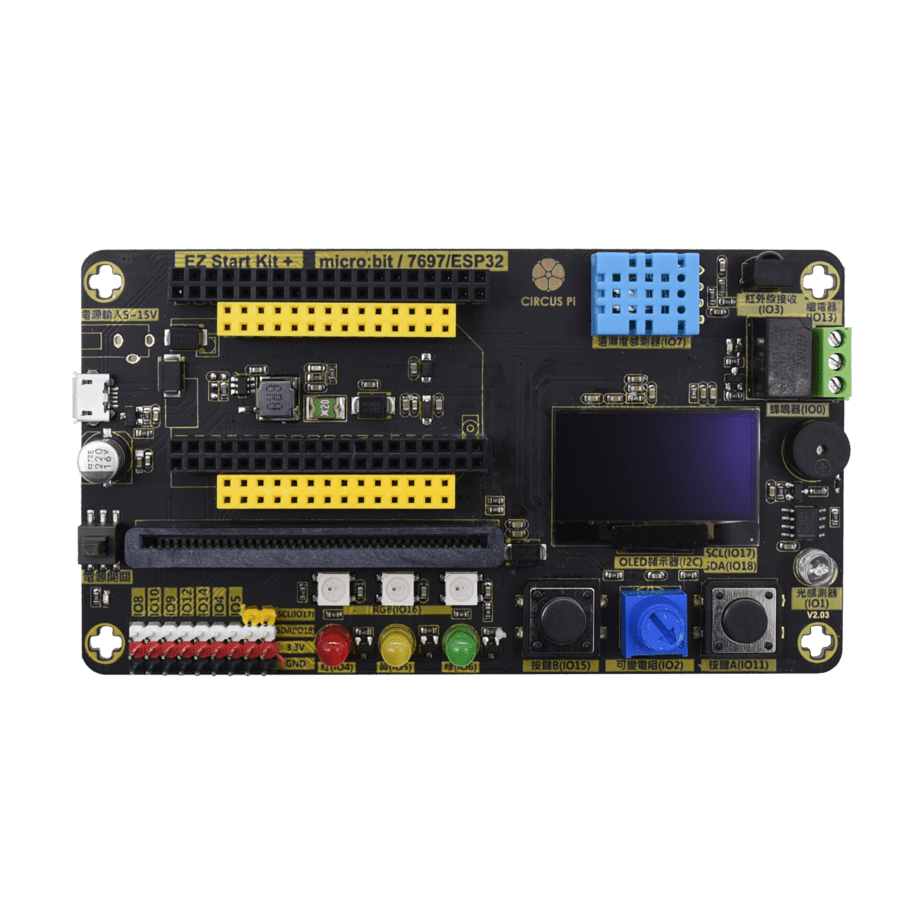
EZ Start Kit+ (micro:bit) is a 3-in-1 expansion board with a built-in light sensor, RGB LED, buzzer, infrared receiver, and OLED display, so students can learn a range of sensing and output applications through MakeCode.
What this kit teaches
Learning from example programs and flashing
Getting set up, learning from example programs, and flashing a program.
Sensors and output modules
Light sensor, RGB LED, buzzer, infrared receiver, and OLED display.
Course outline
01 Learning from example programs and flashing (2 class periods)
Unit content
- Getting set up
- Learning from example programs
- Flashing a program
Related article: EZ Start Kit made easy – micro:bit (Part 1)
02 Sensors and output modules (2 class periods)
Unit content
- Light sensor
- RGB LED
- Buzzer
- Infrared receiver
- OLED display
Related article: EZ Start Kit made easy – micro:bit (Part 2)
The course outline is compiled from existing CIRCUS Pi tutorial articles. The number of class periods is an estimate, and the actual schedule can be adjusted for each class.
Hardware specifications
| Software and programming | ‧ Scratch ‧ MakeCode ‧ JavaScript ‧ Python ‧ Arduino IDE |
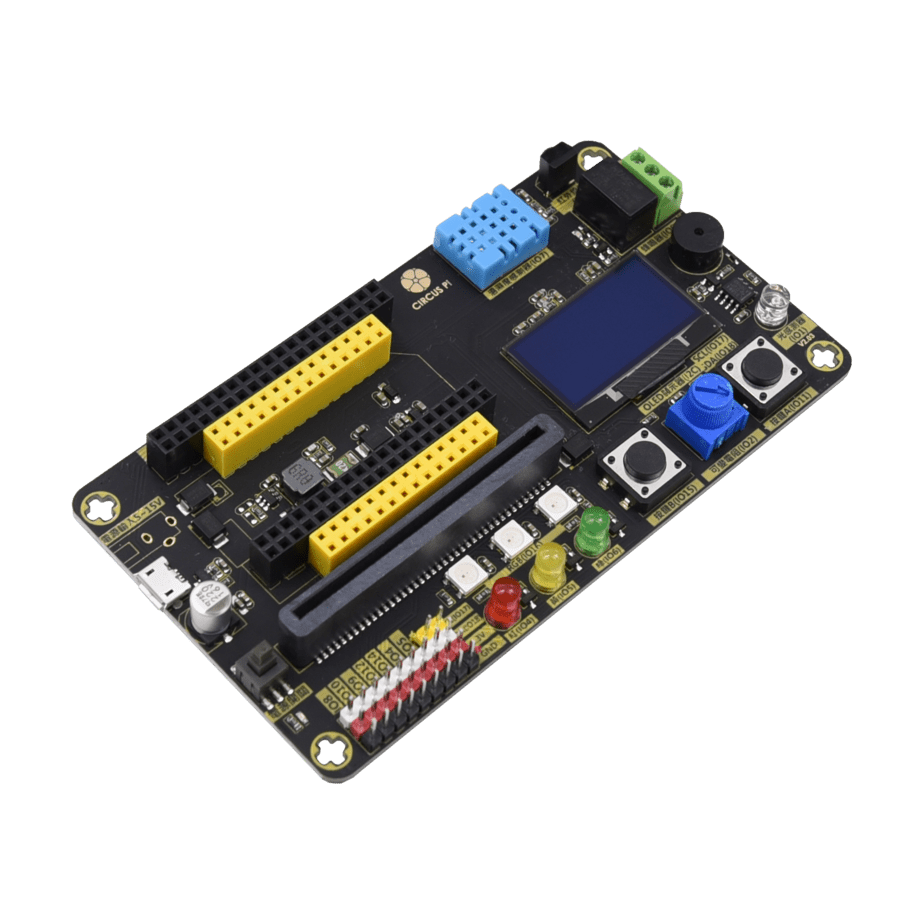
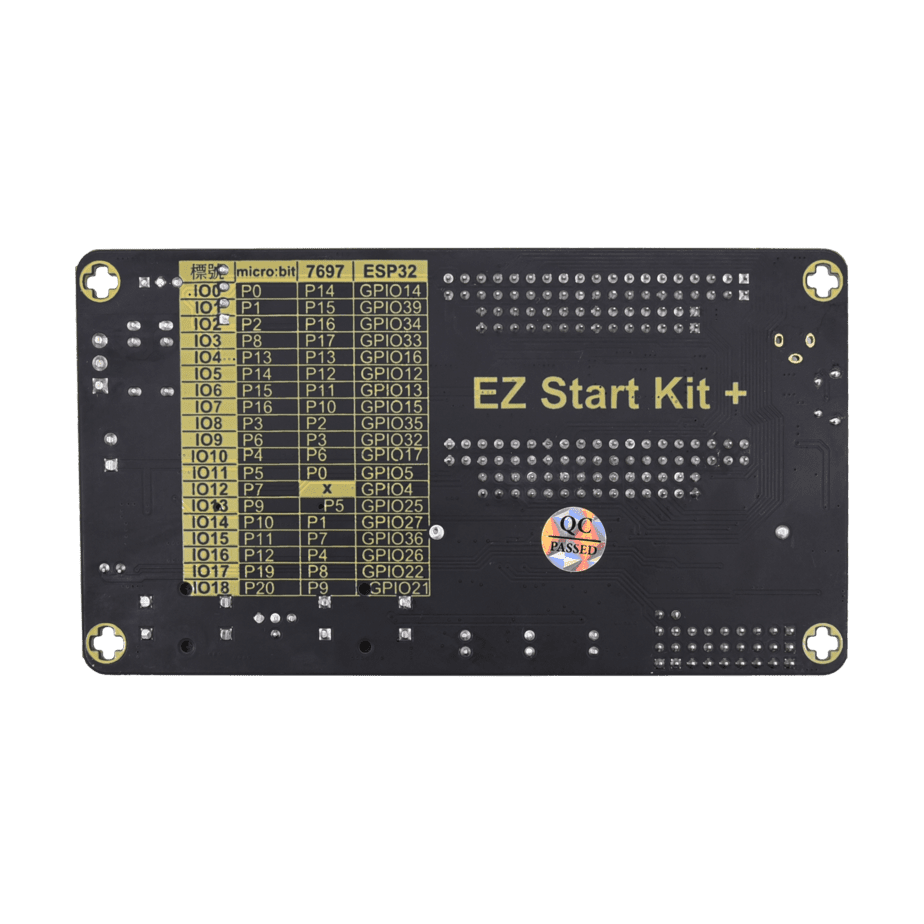
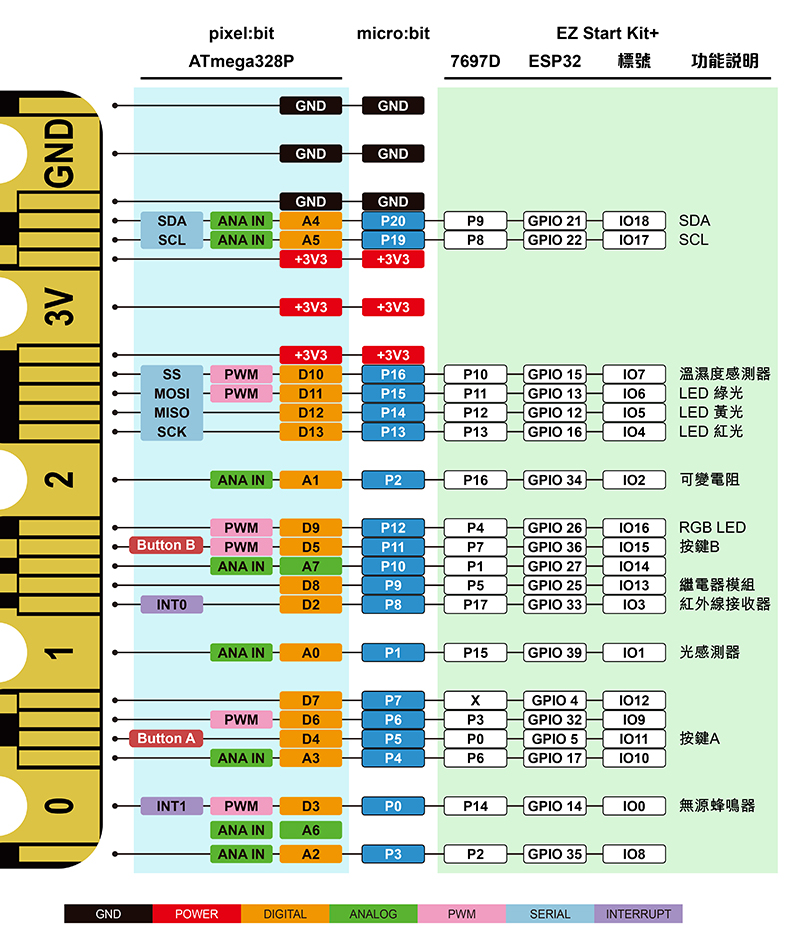
| Built-in features | ‧ Scratch ‧ Full-color RGB LED ‧ 5 mm round LEDs (red / yellow / green) ‧ DHT11 temperature and humidity sensor ‧ Infrared receiver ‧ Relay module ‧ Passive buzzer ‧ 1.3-inch OLED ‧ Light sensor ‧ Buttons ‧ Variable resistor ‧ micro:bit socket (supports micro:bit / Web:bit / 7697:bit breakout / pixel:bit / ESP32) ‧ LinkIt 7697 socket ‧ ESP32 socket |
| Ports | ‧ I2C port ‧ micro:bit / LinkIt 7697 / ESP32 pins |
| Dimensions | 120 x 66 x 17 mm |
Product features
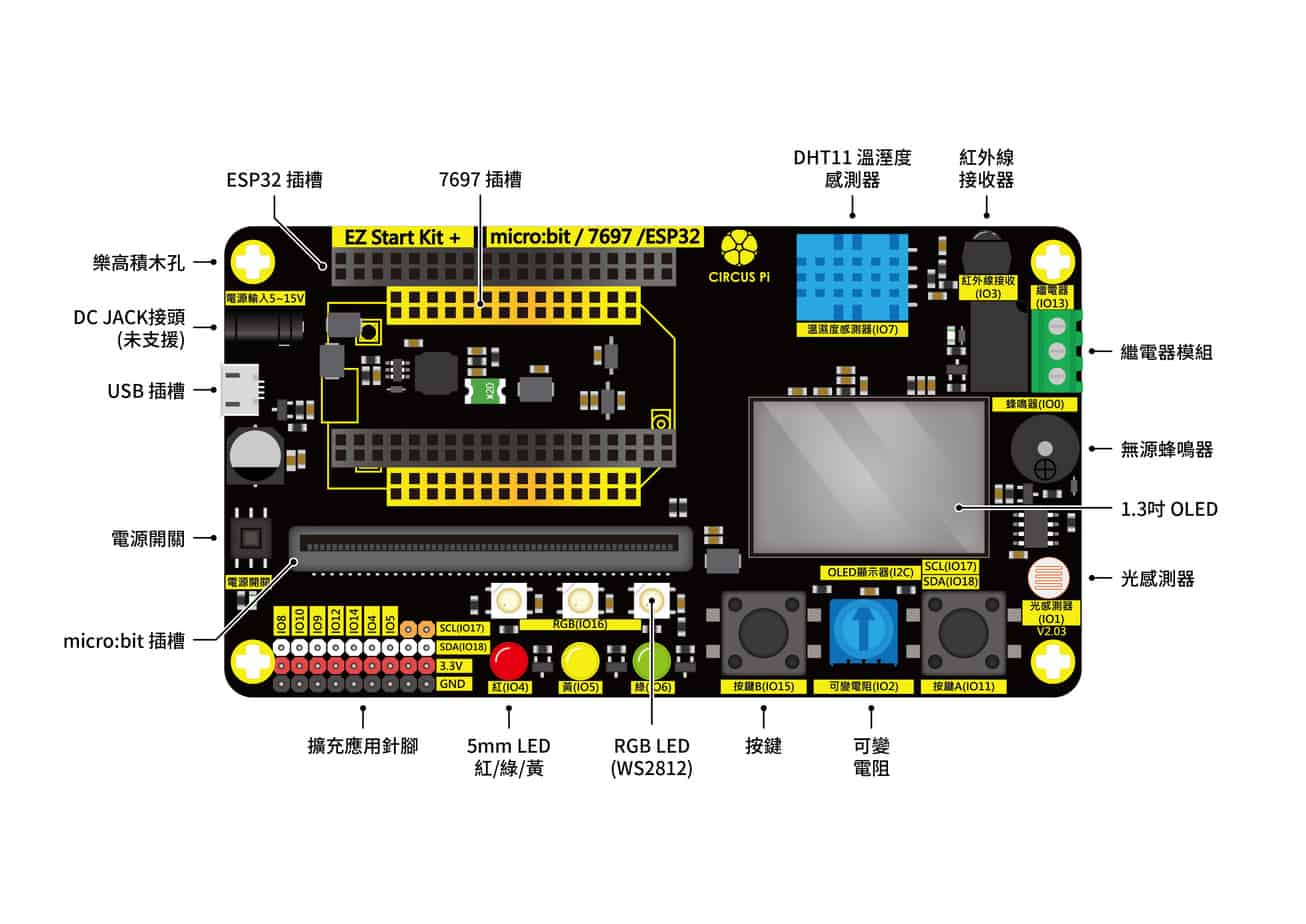
- 3-in-1 expansion board: Supports three development boards—micro:bit, LinkIt 7697, and ESP32—so you can choose the board that fits each project and develop in more ways.
- LEGO brick holes: Can be used with LEGO projects.
- Buttons A and B: Two small round black buttons, about 6.5 mm in diameter, that let you enter commands and control the expansion board.
- DHT11 temperature and humidity sensor: Measures air temperature (0–50 degrees) and relative humidity (percent). The readings can be shown on the 1.3-inch OLED display.
- Single-color LEDs: There are three single-color LEDs: red, yellow, and green. With these three lights, students can practice lighting an LED with a program and also build a small traffic light project.
- Light sensor: Uses a photoresistor to detect ambient light. The reading ranges from 0 to 4095, and a higher value means stronger light.
- RGB LEDs: Above the single-color LEDs are the same number of RGB LEDs. Unlike ordinary color LEDs, they have a built-in driver chip, so a single signal line can control them to light in different colors.
- Passive buzzer: Can be made to sound with a program. It can also play music you write yourself or be used as an alarm.
- Infrared receiver: Receives signals sent by an infrared remote. This feature requires an infrared remote.
- OLED display: A 1.3-inch OLED screen that can show sensor readings and can also be used for debugging programs.
- Relay: Its main function is to use a small current to control a component that draws a large current. In short, it is an electronic switch: when power is applied, it connects internally, and when power is removed, it disconnects.
- Variable resistor: A program can read a value from 0 to 4095 from the variable resistor, and turning the knob changes the value. It can be used in projects that need adjustable control, such as adjusting LED brightness.
Related learning resources
Teacher Liu Zhengji – Brother Ji’s Sharing
Teacher Huang Wenyu – Ayu’s Teaching Site
OXXO-STEAM Education Learning Site – micro:bit expansion board tutorial (EZ Start Kit+)
[MakeCode] EZ START KIT extension download
FAQ
How do I use an ESP32 with the expansion board?
NodeMCU-32S is currently supported. Plug the board into the dedicated EZ Start Kit+ socket to use it.
Can the OLED display Chinese characters or specific graphics?
If you are using a micro:bit, this is not currently supported in MakeCode.
After downloading a program, the program starts running even though the USB cable has not been moved to the expansion board and the expansion board’s power button has not been turned on. Is this normal?
Yes, this is normal. Some components can run on power from the micro:bit alone.
Why can’t files be imported between the MakeCode online version 7.0.8 and the offline version 6.0.3?
Because the versions are different. If the newer version changed MakeCode’s internal code, programs from the earlier version may not import.
Can EZ Start Kit+ be used with an ESP32-CAM and an HC-SR04+ ultrasonic sensor for home security monitoring experiments?
The ESP32-CAM cannot be used, but the HC-SR04+ can be connected through the expansion pin header.
What is the OLED’s pixel X and Y coordinate range?
The OLED resolution is 128 x 64 pixels.
Can two Micro USB cables be connected at the same time?
With a micro:bit, you can connect two Micro USB cables at once, so you do not need to swap cables back and forth between powering and flashing. With a LinkIt 7697, simply connect the cable to the EZ Start Kit to power the board and flash programs at the same time.
What other sensors can I experiment with on the EZ Start Kit+ expansion pins?
The EZ Start Kit+ expansion pins supply 3.3 V, so most sensors that support 3.3 V can generally be used.
Can the onboard relay switch 110 V power?
Yes, the relay on the EZ Start Kit+ can.
Online course
Video introduction
Online course recordings
EZ Start Kit+ teaching expansion board online course, micro:bit Part 2: Hands-on with the board’s functions (1) (56:56)
EZ Start Kit+ teaching expansion board online course, micro:bit Part 3: Hands-on with the board’s functions (2) (44:33)
Contact us
Your message goes straight to our team, and we usually reply within one business day.
- 01Questions? Send us a message or add us on LINE.
- 02Quotes and orders, including international shipping
- 03Teacher training and professional development
Scan with your phone to add us on LINE.
Add us on LINE