
MoonCar (LinkIt)
MoonCar supports LinkIt 7697, micro:bit, and other boards, with built-in line-following, color, and infrared sensors. Combined with Bluetooth/Wi-Fi IoT and AI vision recognition, it takes students from basic car control all the way to an AIoT self-driving car project.
What this kit teaches
Introduction to LinkIt 7697 and BlocklyDuino
Introduction to LinkIt 7697, introduction to 7697:bit, introduction to MoonCar, installing and getting to know BlocklyDuino, BlocklyDuino basics, and writing your first program.
Bluetooth IoT—event payment car
Introduction to IoT, LRemote phone screen design, LRemote button control, LRemote joystick control, App Inventor phone screen design, and App Inventor button control.
AIoT self-driving car
Introduction to AI, image recognition training and validation, AI self-driving car, logging RFID drive records to the MCS cloud, and the AIoT self-driving car project.
Course outline
01 Introduction to LinkIt 7697 and BlocklyDuino (3 class periods)
Unit content
- Introduction to LinkIt 7697
- Introduction to 7697:bit
- Introduction to MoonCar
- Introducing and installing BlocklyDuino
- BlocklyDuino basics
- Writing your first program
Matching materials:“Playing with AIoT on MoonCar: Using LinkIt 7697 and micro:bit,” Chapter 1
02 7697:bit breakout board (3 class periods)
Unit content
- Showing expressions
- Showing text
- Button A happy, button B crying
- A+B buttons show an expression
- Drawing with code
- Showing images
Matching materials:“Playing with AIoT on MoonCar: Using LinkIt 7697 and micro:bit,” Chapter 2
03 First look at MoonCar (4 class periods)
Unit content
- Car light show
- Buzzer
- Starting the car
- Obstacle avoidance
- Line following
- Color recognition
- Infrared remote control
Matching materials:“Playing with AIoT on MoonCar: Using LinkIt 7697 and micro:bit,” Chapter 3
04 Bluetooth IoT (5 class periods)
Unit content
- Introduction to IoT
- LRemote phone screen design
- LRemote button control
- LRemote joystick control
- App Inventor phone screen design
- App Inventor button control
- App Inventor motion control
- App Inventor voice control
- Using MoonCar with micro:bit
Matching materials:“Playing with AIoT on MoonCar: Using LinkIt 7697 and micro:bit,” Chapter 4
05 Wi-Fi IoT (4 class periods)
Unit content
- Connecting to a Wi-Fi hotspot
- OLED network clock
- Using an MQTT server
- MQTT control of MoonCar
- MQTT group control
- MCS remote control
- MCS temperature data collection
- MCS data download
Matching materials:“Playing with AIoT on MoonCar: Using LinkIt 7697 and micro:bit,” Chapter 5
06 Event payment car (3 class periods)
Unit content
- Introduction to RFID
- RFID verification
- Payment sends a Gmail notification
- Top-up
- MCS records
- Event payment car project
Matching materials:“Playing with AIoT on MoonCar: Using LinkIt 7697 and micro:bit,” Chapter 6
07 AIoT self-driving car (3 class periods)
Unit content
- Introduction to AI
- Image recognition training and validation
- AI self-driving car
- RFID drive records to the MCS cloud
- AIoT self-driving car project
Matching materials:“Playing with AIoT on MoonCar: Using LinkIt 7697 and micro:bit,” Chapter 7
The course outline is based on the CIRCUS Pi teaching manual. Class periods are estimates; actual scheduling can be adjusted by class.

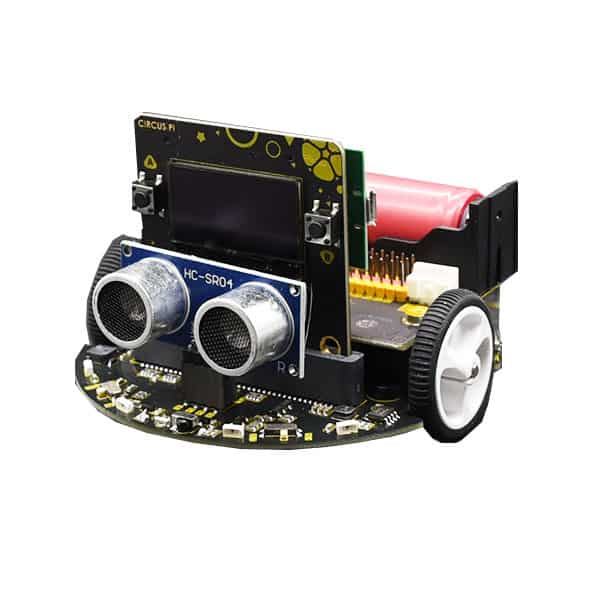
18650 version
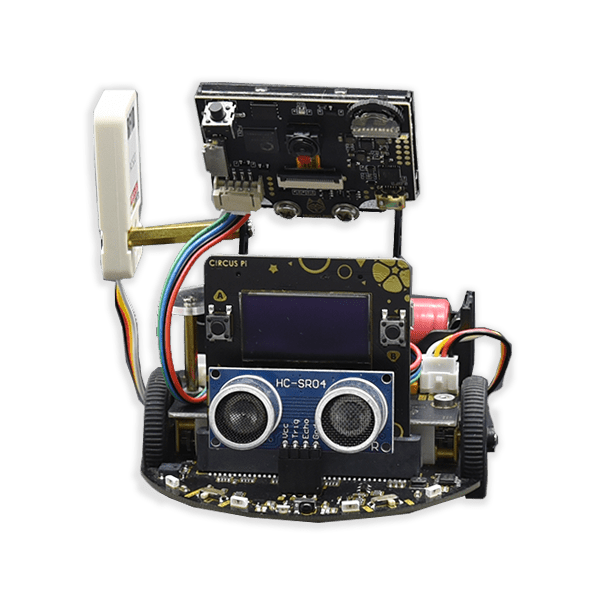
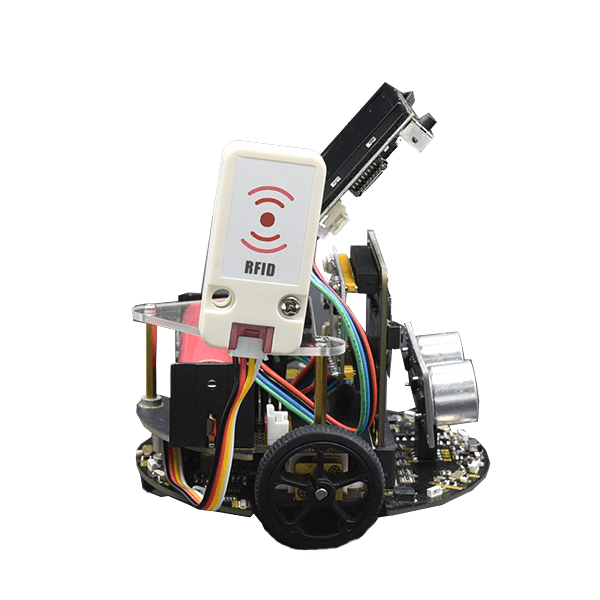
Vision recognition version
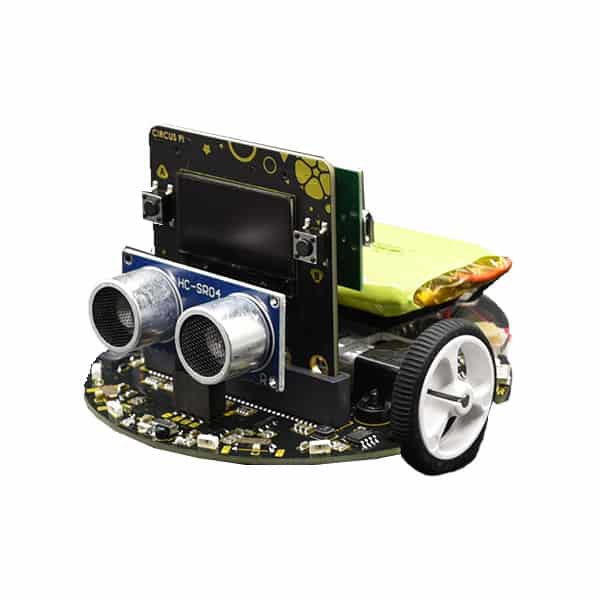
Lithium battery version
Hardware specifications
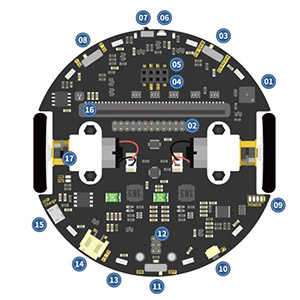
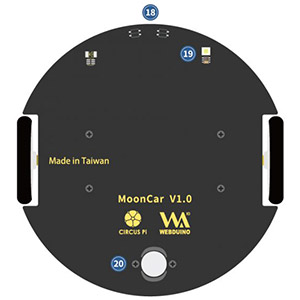
Front and back
| 01. I/O expansion header | 05. Ultrasonic socket | 09. Battery level indicator | 13. Magic RGB LED ×8 | 17. 1:100 micro metal gear motor |
| 02. I/O expansion header | 06. IR transmitter | 10. Button | 14. 3.7 V lithium battery socket | 18. IR line-following sensor ×2 |
| 03. Selector switch | 07. IR receiver | 11. Power switch | 15. USB power socket | 19. Color sensor (with fill light) |
| 04. I2C expansion socket | 08. I/O power selector switch | 12. Expansion 3.7 V lithium battery socket | 16. micro:bit / Web:bit slot / 7697:bit breakout | 20. Caster wheel |
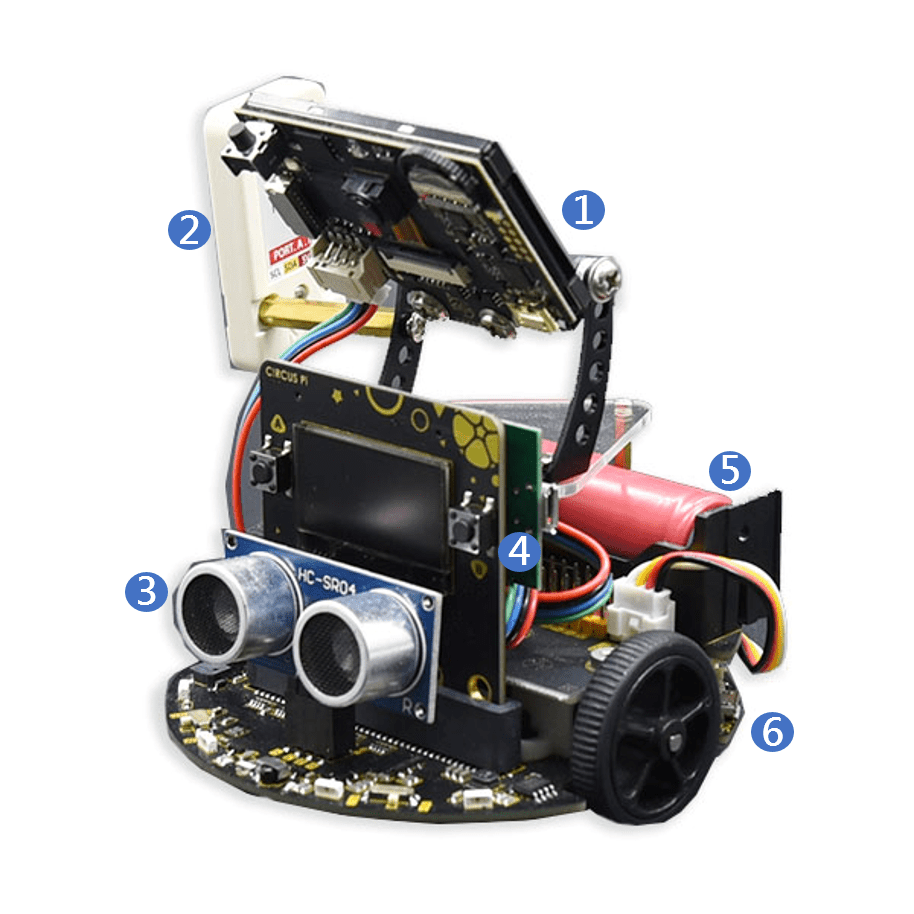
| 1. HuskyLens | 2. RFID sensor | 3. Ultrasonic module |
| 4. Circus 7697 + expansion board | 5. 18650 battery | 6. MoonCar |
Product features
● MoonCar supports multiple boards:
- micro:bit
- LinkIt 7697
- web:bit
● Sensors:
‧ Infrared transmit and receive
- Color recognition
- Ultrasonic sensing
- Line-following sensing
● Features ●
- Magic RGB LED ring
- Battery expansion module
- AI vision recognition module
- Cloud computing service support
▼Color recognition
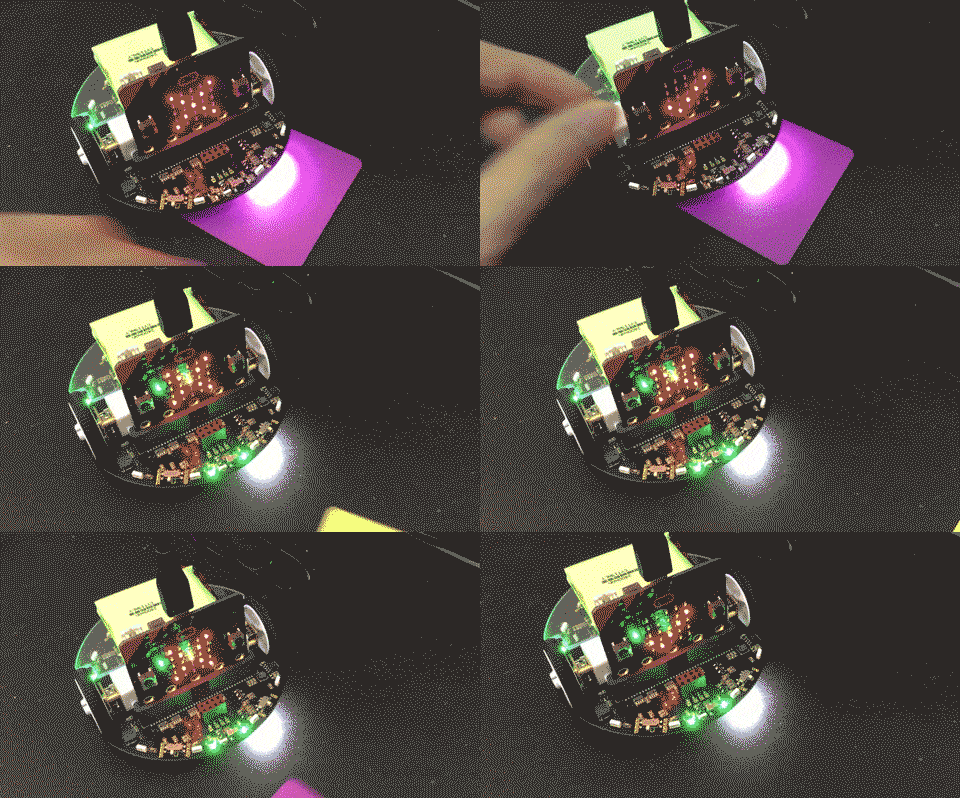
▼Light sensing
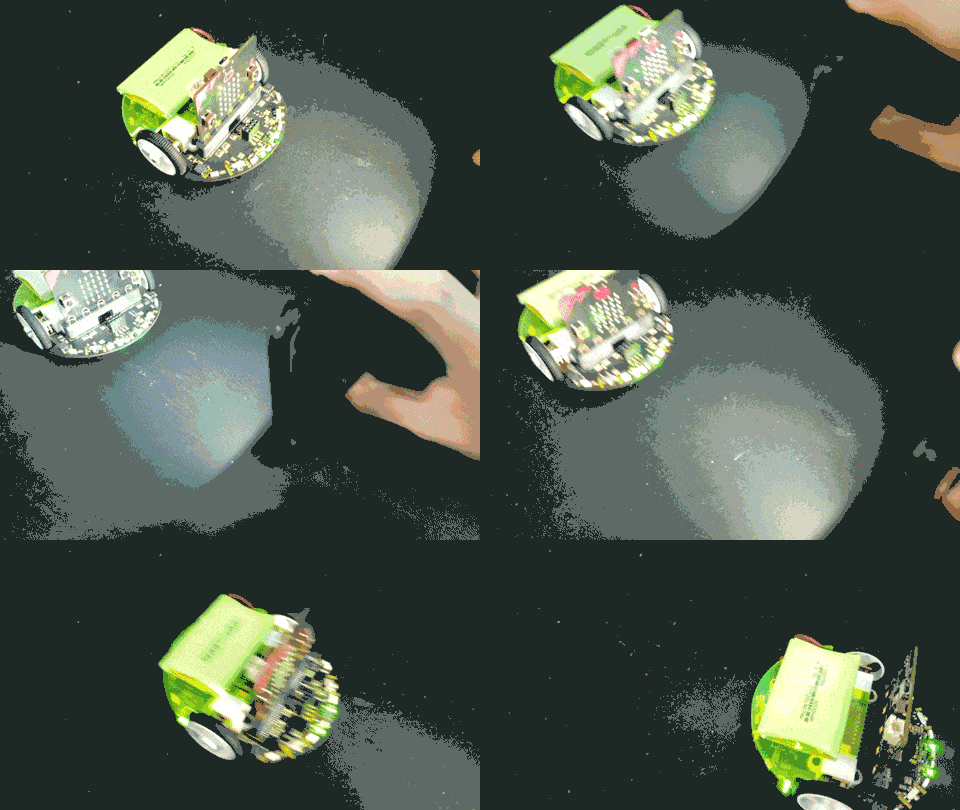
▼Line-following sensing
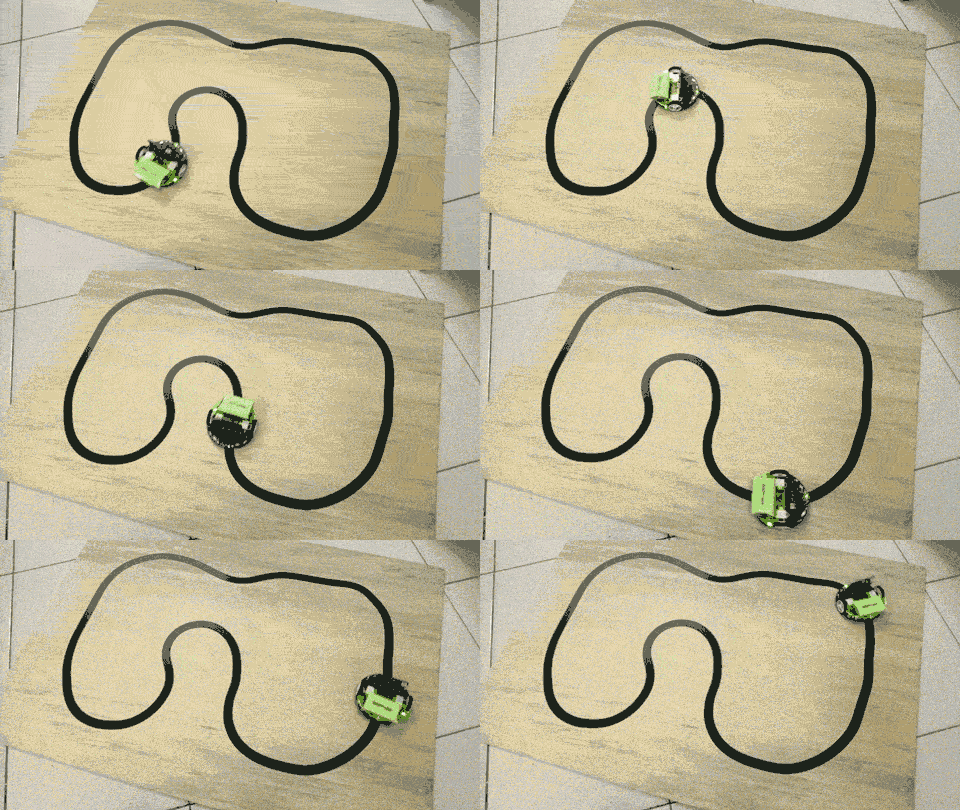
- Magic RGB LED ring
- Battery expansion module
- AI vision recognition module
- Cloud computing service support
Function:
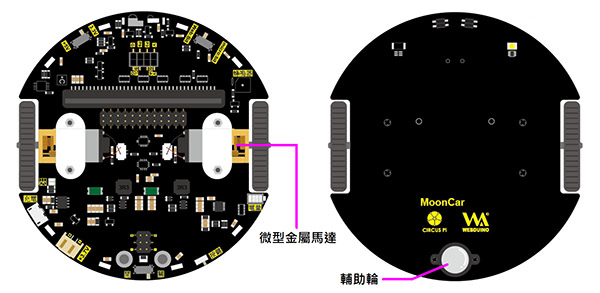
MoonCar has two micro metal gear motors and one caster wheel, which offer better quality and durability than motors paired with plastic gearboxes.
The caster wheel is made of a non-metal material to reduce the noise caused by tapping on the ground as the car moves.
Sending and receiving messages:
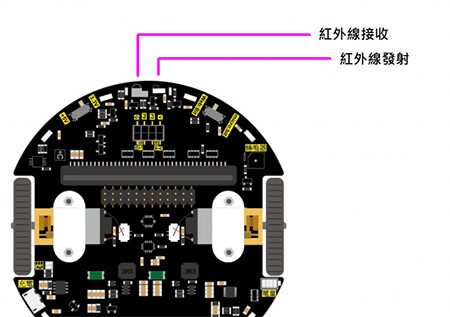
MoonCar has a pair of infrared transmitters and receivers on the front, so you can send it commands with a standard infrared remote control.
The infrared transmitter can also send messages to other MoonCars, which adds more ways to play.
Making sound:
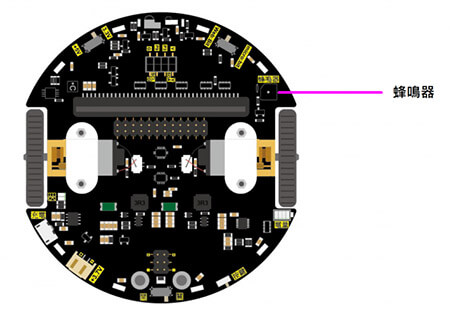
MoonCar has a passive buzzer on its right side that can produce different sounds through code, such as an electronic keyboard, alarm sounds, or phone ringtones. You can also write phrases from different notes and rests so that MoonCar sounds like it is talking.
Online course recordings
MoonCar LinkIt 7697 vision recognition version: basic hands-on practice, Part 1(1:05:15)
MoonCar LinkIt 7697 vision recognition version: basic hands-on practice, Part 2(37:02)
MoonCar LinkIt 7697 vision recognition version: basic hands-on practice, Part 3(37:56)
Contact us
Your message goes straight to our team, and we usually reply within one business day.
- 01Questions? Send us a message or add us on LINE.
- 02Quotes and orders, including international shipping
- 03Teacher training and professional development
Scan with your phone to add us on LINE.
Add us on LINE